
Freemium vs. Free Trial: Compare Access, Limits, and Cost
Freemium, free trial, and paid-only software expose different parts of a product before you commit. Compare feature ceilings, trial time, data and collaboration limits, growth costs, and cancellation terms.
- Desk
- Software Deals
- Checked
- Aug 12, 2026
- By
- My Deal Junction Buyer Desk
Freemium, free trial, and paid-only software offers give buyers different ways to evaluate a product before committing. The important difference is not which model is universally better. It is what you are allowed to test, for how long, and what changes when your usage grows. A freemium plan usually gives ongoing but limited access; a free trial creates a time-limited evaluation window; a paid-only product removes the free evaluation stage.
For a useful comparison, start with the workflow you actually need. Then identify the feature ceiling, data and collaboration limits, storage or support constraints, billing terms, and the point at which your team or usage would move into a paid tier. The decision should be based on whether the evaluation model exposes the important risks before commitment—not on the word "free" by itself.
| Model | What you can learn before paying | Main risk to check |
|---|---|---|
| Freemium | How the product works over ongoing use within the free limits | Important features, storage, collaboration, export, or support may sit above the free ceiling |
| Free trial | How a broader paid experience fits your workflow during a limited period | The trial may end before you have tested every important use case |
| Paid-only | What the vendor documents or demonstrates before purchase | You have less hands-on evaluation before billing begins |
| Any model | Pricing structure, renewal terms, cancellation rules, and plan limits | The practical cost can change when seats, usage, storage, or add-ons increase |
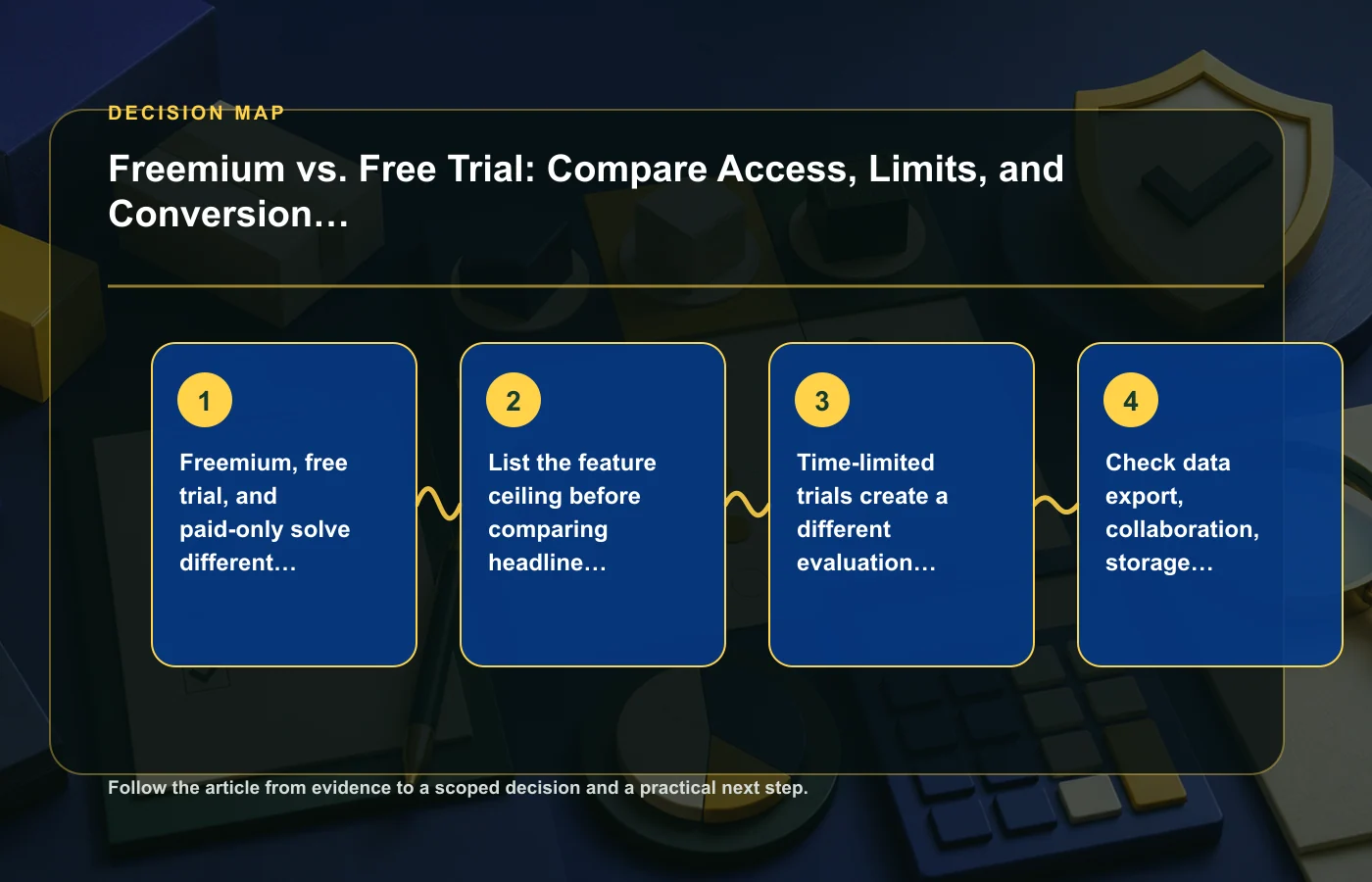
Freemium, free trial, and paid-only solve different evaluation problems
Freemium is useful when you need time to learn a product under a stable set of limits. A free trial is useful when the question is whether the broader paid experience works for you before the evaluation window closes. Paid-only software asks you to rely more heavily on documentation, demos, seller terms, or other pre-purchase evidence.
Choose the model that exposes your biggest uncertainty
If your main concern is whether the interface fits your routine, ongoing freemium access may give you enough time to learn it. If the concern is whether advanced paid features support a complete workflow, a trial may reveal more—but only if you can test those features within the available window. If the software is paid-only, identify what evidence you can gather before committing and what cancellation or refund terms apply.
- Freemium question: can the free plan reproduce the workflow you need to evaluate?
- Trial question: can you complete a meaningful test before the trial ends?
- Paid-only question: what can you verify before billing starts?
- All models: what event moves you into a different plan or cost structure?
For more software-focused buying material, the site's software deals section provides related decision guides.
List the feature ceiling before comparing headline access
"Free" does not tell you how much of the product is available. Write down the exact features required for your intended workflow and compare them with the limits of the free plan or trial. The feature ceiling is the point where the evaluation environment stops representing the way you expect to use the software after adoption.
Separate core workflow from convenience features
Build two lists. The first contains functions without which the software cannot do the job you are evaluating. The second contains useful but nonessential features. If the free plan blocks a core function, you cannot use success on the remaining functions as proof that the paid workflow will fit. If a trial includes the function, prioritize testing it before spending time on cosmetic or low-risk features.
- Which features are available in the evaluation plan?
- Which features require a paid tier?
- Are there limits tied to seats, usage, storage, collaboration, or support?
- Can you export the data you create during evaluation?
- Do add-ons or separate services become necessary for the intended workflow?
Use the vendor's current plan and policy material for those answers. Do not assume that a plan name or feature set works the same way across different SaaS products.
A free trial creates a different evaluation window from freemium
Time changes the way you should test. With freemium, the main constraint is usually the feature or usage ceiling. With a free trial, the main constraint is that the evaluation period ends. A sensible trial plan therefore front-loads the difficult questions.
Test failure points first
- Set up the workflow that would be most costly to abandon later.
- Test the features that are unavailable on the free or lower tier.
- Check collaboration, export, storage, and support behavior that affects continued use.
- Review billing, renewal, and cancellation terms before the trial expires.
- Record what you still have not tested instead of assuming it will work.
This approach prevents a trial from being consumed by easy onboarding tasks while the high-risk requirements remain untested. A pleasant first session is useful, but it is not a substitute for verifying the parts that could block adoption.
Check data export, collaboration, storage, and support limits
Some of the most consequential SaaS limits sit outside the headline feature list. A plan may let you create work but restrict how you move data, collaborate with others, store more material, or obtain support. Those limits can be tolerable for individual evaluation and unacceptable once the product becomes part of a real team workflow.
Data portability is a purchase criterion
Before committing, check what the vendor says about exporting your data. The goal is not to assume that leaving will be difficult; it is to understand what you could retrieve if the product stops fitting your needs. If export is important but the plan information is unclear, treat that as unresolved rather than filling the gap with an assumption.
Collaboration and storage can trigger the real upgrade point
Count the people who actually need access and identify the level of collaboration required. Then do the same for storage or usage. A free plan may be entirely adequate for one user and become unsuitable when the workflow expands. What matters is the first threshold your actual use is likely to hit.
Support deserves the same treatment. If your workflow depends on a particular support channel or response arrangement, verify whether that support is included in the plan you are evaluating rather than assuming the experience shown for another tier applies.
Model the cost after your team or usage crosses a threshold
The cheapest evaluation path is not necessarily the cheapest operating path. Once seats, usage, storage, add-ons, or other plan limits change, the cost structure can change with them. Build the comparison around the state you expect after adoption, not only around the free or introductory state.
Use a simple growth scenario
You do not need to invent future prices or growth rates. Use the vendor's current plan structure and test several realistic usage states: your current team or workload, the next likely threshold, and a higher state that would materially change the plan. The question is whether the product remains acceptable if your usage moves beyond the evaluation level.
| Scenario | What to record | Decision question |
|---|---|---|
| Evaluation | Free-plan or trial limits | Can you test the critical workflow? |
| Initial paid use | Plan needed for the current workflow | Does the paid tier remove the blockers you identified? |
| Expanded use | Next relevant seat, storage, usage, or add-on threshold | Would growth force a plan change you are comfortable with? |
The site's guide to comparing software subscriptions by total cost is useful when you want to extend this exercise beyond access limits and into the ongoing cost model.
Cancellation and renewal terms belong in the comparison
A software evaluation is incomplete until you understand what happens at the end of it. Billing frequency, auto-renewal, cancellation timing, access after cancellation, and any relevant export rights can affect the practical risk of trying a product. Verify those terms from the vendor rather than relying on a generic assumption about how SaaS trials or subscriptions work.
Write down the exit path before you enter
- When does billing begin, if the evaluation converts into a paid plan?
- Does the plan renew automatically?
- What must you do to cancel?
- What access remains after cancellation?
- What happens to data you may need to export?
The point is not to expect a problem. It is to avoid discovering the exit terms only after the software has accumulated important work or after a billing event you did not plan for.
Keep an evaluation log instead of relying on first impressions
SaaS trials often produce a lot of activity in a short period, which makes it easy to remember that the product "felt good" while forgetting which requirements were actually verified. A compact evaluation log makes the decision reproducible. For every requirement, record whether it was tested, whether the result came from hands-on use or vendor documentation, and whether a limitation remains.
| Requirement | Status | Evidence | Open question |
|---|---|---|---|
| Core workflow | Tested / not tested | Observed during evaluation or documented by vendor | Anything that still blocks adoption |
| Plan limit | Verified / unclear | Current plan information | Threshold that may trigger an upgrade |
| Data export | Verified / unclear | Product or policy documentation | What can be retrieved if you leave |
| Billing and cancellation | Verified / unclear | Vendor terms | Any timing or renewal condition to recheck |
This also prevents a common comparison error: testing one product deeply and another casually, then treating the resulting impressions as equivalent evidence. Use roughly the same checklist for every option. If one product cannot be tested because the free tier or trial blocks a requirement, that itself is useful information about how much uncertainty remains before purchase.
At the end of the evaluation, separate three outcomes: verified fit, verified limitation, and unknown. Unknown is not the same as failure, but it should not be silently counted as success. If an unknown concerns a critical workflow, billing term, or data-exit requirement, resolve it before adopting the software if possible.
If several people will use the software, collect feedback against the same requirements rather than averaging general likes and dislikes. A product can be easy for one role and blocked for another. Role-specific failures should stay visible in the final decision, especially when the blocked user is essential to the workflow.
A practical SaaS evaluation workflow
- Define the workflow you need the software to support.
- Identify the model: freemium, free trial, or paid-only.
- List core features and the plan level where each becomes available.
- Test the highest-risk workflow before lower-value features.
- Check export, collaboration, storage, and support limits.
- Model the plan you would need after realistic growth.
- Review cancellation, renewal, and billing terms.
- Record any unresolved limitation before committing.
Recheck the plan page and terms immediately before subscribing, because the comparison should reflect the offer you are actually accepting.
FAQ
Is freemium better than a free trial?
Not automatically. Freemium offers more time but may expose fewer features. A free trial can expose a broader paid experience but gives you less time to test it. The better model is the one that lets you verify the risks that matter to your workflow.
What should I test first during a SaaS free trial?
Start with the workflow that would be most expensive or disruptive to discover later is unsupported. Then test paid-only features, collaboration, export, storage, support, and any limits that could block adoption.
Why do cancellation terms matter during evaluation?
Because the end of the evaluation is part of the purchase decision. Renewal, billing, cancellation, and data-access terms determine what happens if you continue—and what happens if you decide not to.
How this page was prepared
Reviewed by My Deal Junction Standards Editor. Claims, terminology, and time-sensitive details were checked against the sources listed below and the page was last updated August 12, 2026.
AI-assisted tools supported research organization or drafting; editorial review remained responsible for source selection and the published conclusions.
Sources and verification
Primary and authoritative references used to verify this article: